Tutorial Video. Step by step below;
Third Step
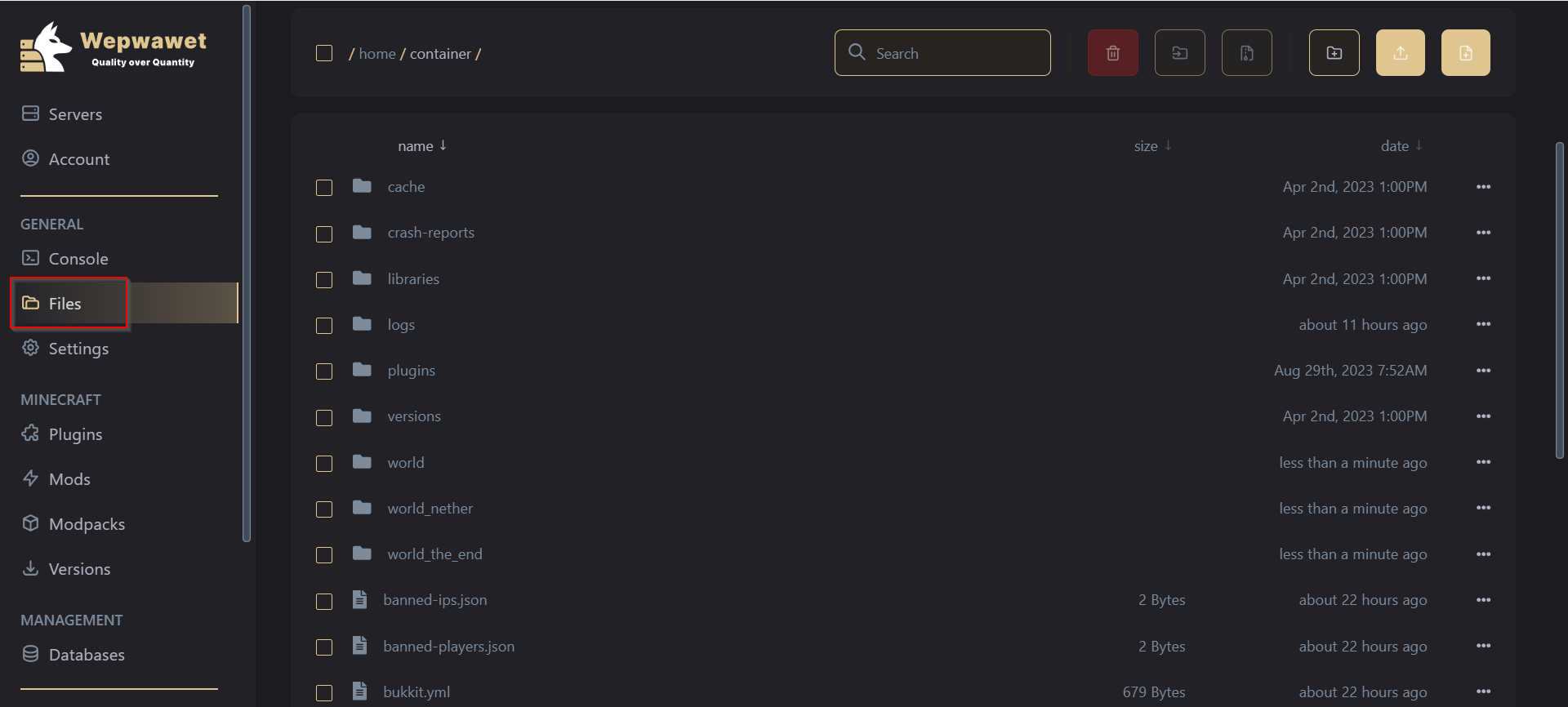
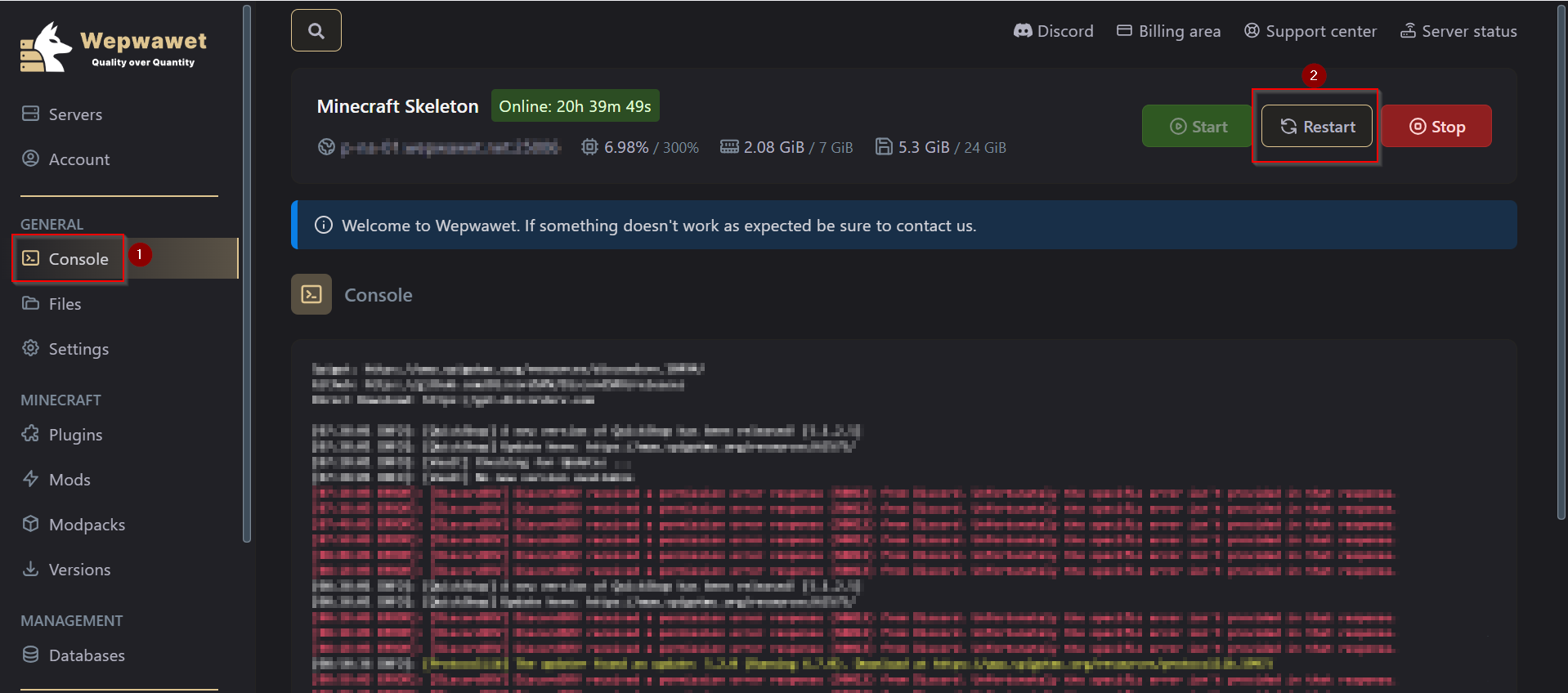
Under General Section, Click the Files tab Fourth Step
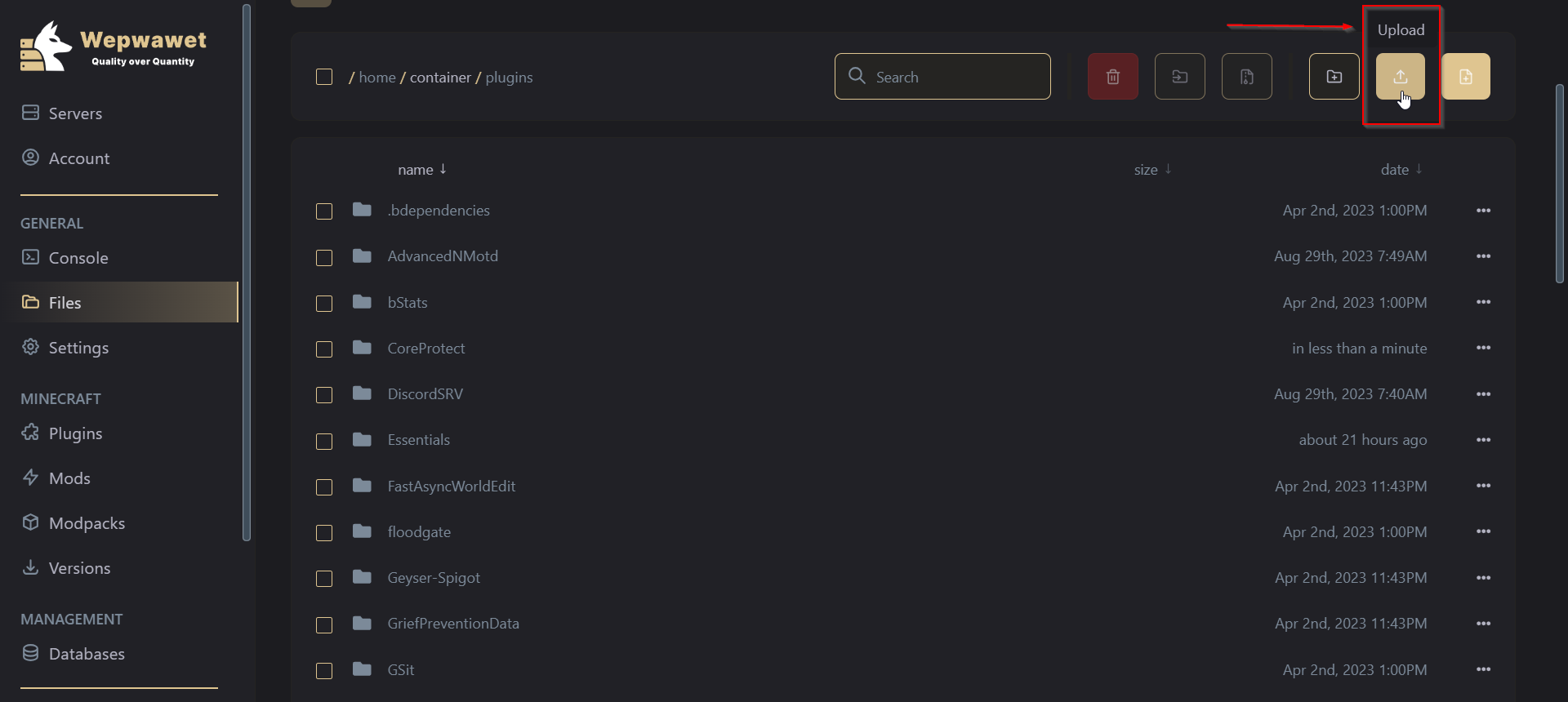
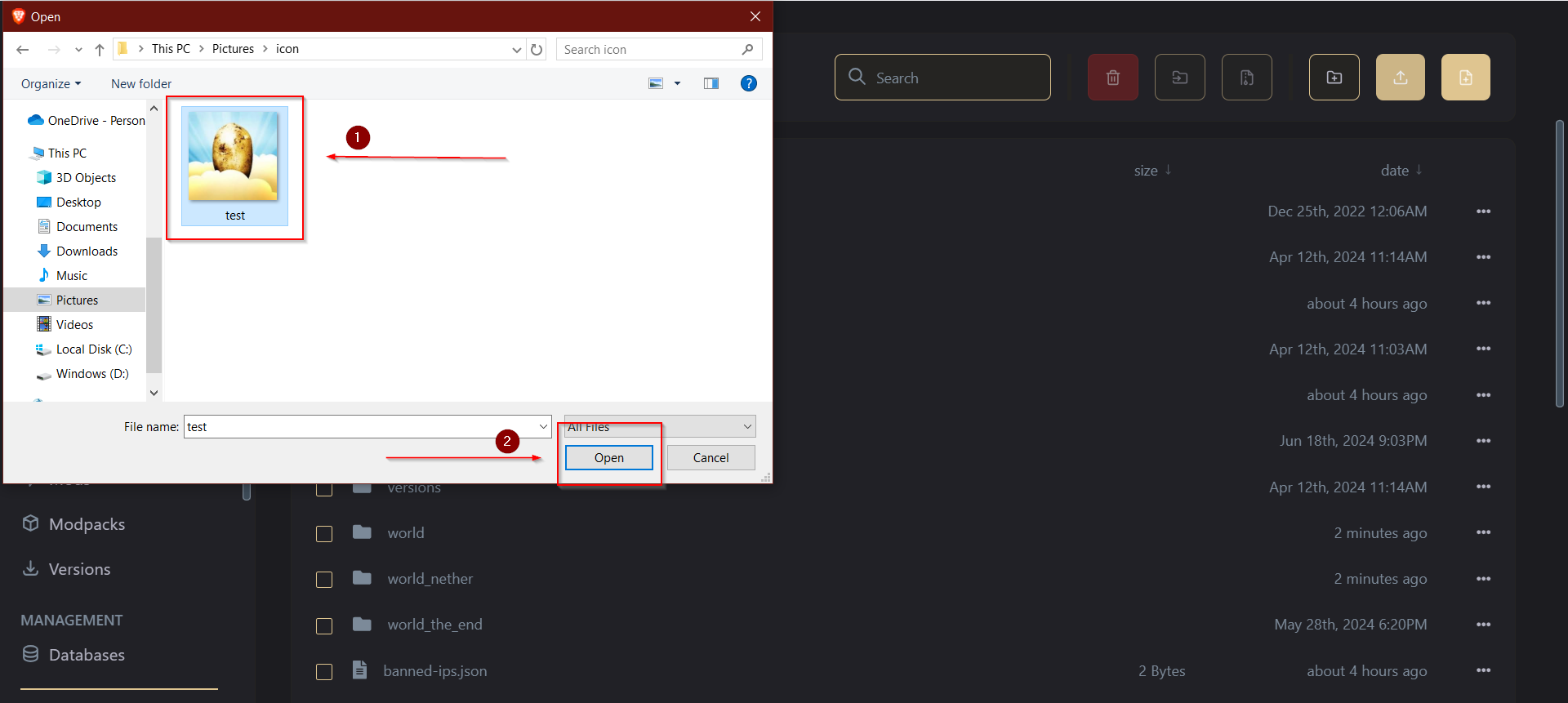
Upload a PNG icon that is 64x64 in size Fifth Step
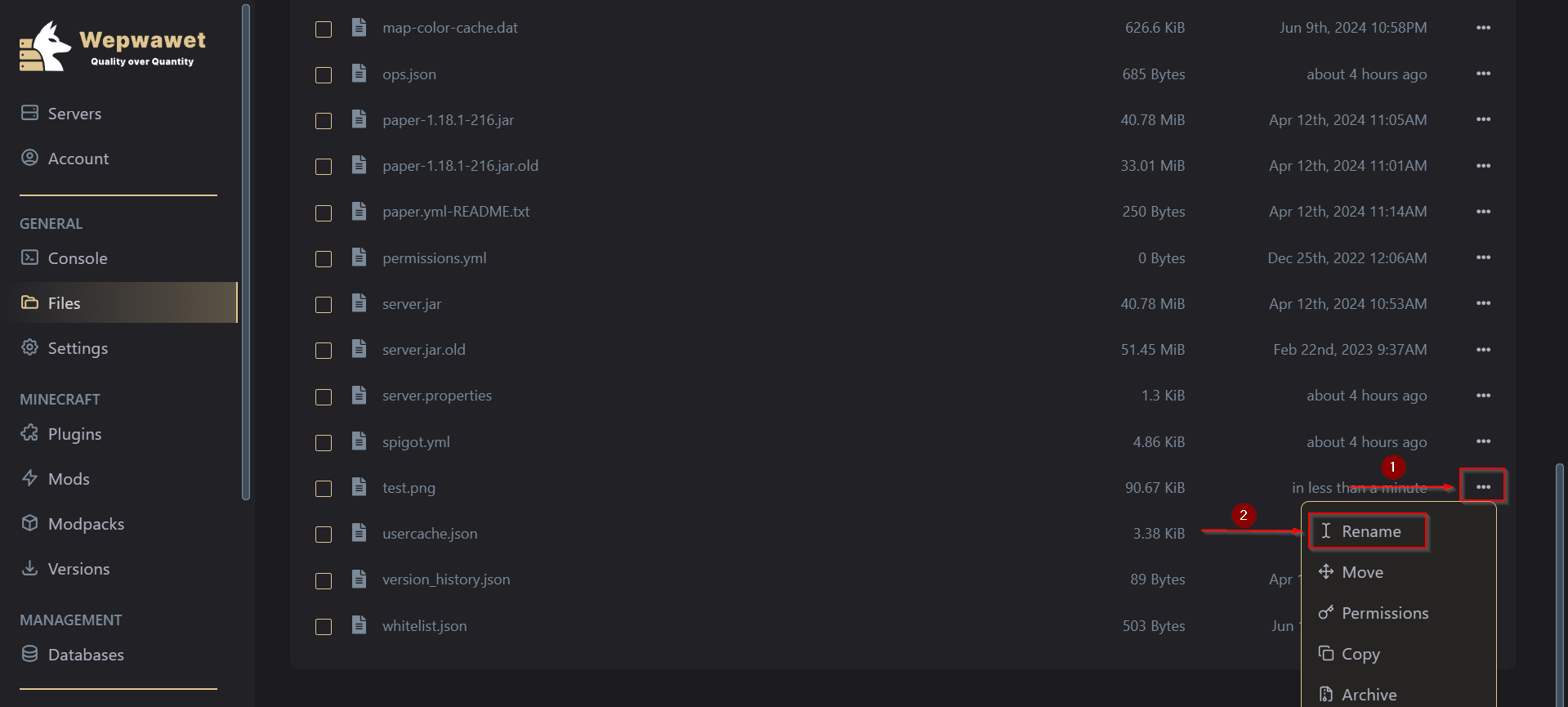
Click on the Three Dots at the extreme right side of the uploaded file. Sixth Step
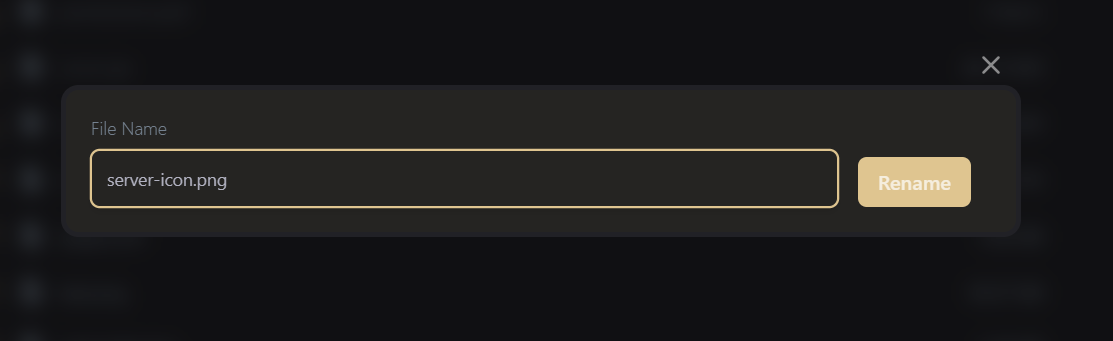
Rename the file to server-icon.png There you go! You’ve just changed your server icon.